

Le travail à distance a ouvert de nouveaux niveaux de flexibilité pour les organisations, mais il a également introduit l’un des plus grands défis auxquels les équipes modernes en personne : la communication.
Lorsque votre équipe ne se trouve plus dans la même pièce, les interactions simples deviennent plus complexes. Les questions rapides se transforment en appels planifiés, le langage corporel est plus difficile à interpréter et les malentendus surviennent plus facilement.
La bonne nouvelle ? Avec les bonnes stratégies et les bons outils, la communication à distance peut être tout aussi efficace, voire plus efficace, que la collaboration en personne.
Pourquoi la communication à distance est si difficile
Dans un bureau traditionnel, la communication se fait naturellement. Les employés peuvent passer voir un collègue à son bureau, lire les expressions faciales ou participer à des conversations spontanées.
Le travail à distance supprime eces naturelles interactions.
Les difficultés courantes incluent :
-
Lun manque de signaux non verbaux
-
Ddes réponses tardives entre les fuseaux horaires
-
Mla fatigue liée aux réunions due à un trop grand nombre d’appels
-
Udes attentes peu claires et une mauvaise communication
-
Rles employés à distance se sentent isolés ou déconnectés
Sans stratégies de communication réfléchies, ces problèmes peuvent rapidement l’impact la productivité et le moral de l’équipe.
6 façons d’améliorer la communication avec les équipes à distance
Les études montrent que les conversations en face à face peuvent être jusqu’à 34 % plus efficaces que la communication écrite pour les sujets complexes. Pour les équipes à distance, la vidéo comble cet écart.
1. Faire de la vidéo le mode par défaut pour les conversations importantes
Toute la communication ne devrait pas passer par le chat ou l’e-mail.
Pour les discussions qui portent sur :
-
Dla prise de décision
-
Ble brainstorming
-
Fles retours
-
Sles sujets sensibles
La communication vidéo est bien plus efficace.
Voir les expressions faciales et le langage corporel aide à réduire les malentendus et à renforcer les relations au sein de l’équipe.
2. Définir des règles de communication claires
Les équipes à distance fonctionnent au mieux lorsque chacun sait :
-
Wquels outils utiliser (Slack, e-mail, appels vidéo)
-
Eles délais de réponse prévus
-
Wquand utiliser une communication synchrone ou asynchrone
Par exemple :
-
Mises à jour rapides → chat
-
Discussions détaillées → réunions vidéo
-
Communication formelle → e-mail
La clarté réduit la confusion et améliore l’efficacité.
3. Organiser des réunions plus structurées
Les réunions à distance peuvent facilement devenir improductives sans structure.
Pour améliorer l’efficacité des réunions :
-
Sétablir un ordre du jour clair
-
Ddéfinir les objectifs de chaque réunion
-
Adésigner un animateur
-
Srésumer les prochaines étapes
Des réunions structurées aident les équipes à distance à rester alignées et concentrées.
4. Privilégier l’inclusion lors des réunions hybrides
Sans la configuration adéquate, les réunions hybrides peuvent involontairement créer une expérience « à deux niveaux » : les personnes présentes dans la salle dominent la conversation, tandis que les participants à distance peinent à rester impliqués. C’est là qu’une technologie plus intelligente entre en jeu.
Sans la configuration adéquate :
-
Rles participants à distance peuvent avoir du mal à voir qui parle
-
Sles conversations à côté peuvent exclure les membres de l’équipe à distance
-
Eles niveaux d’engagement diminuent
La création d’une expérience inclusive nécessite à la fois animation intentionnelle et une meilleure technologie.
5. Investir dans de meilleurs outils de communication vidéo
La technologie joue un rôle essentiel pour permettant efficace à distance communication.
Les webcams basiques et les caméras de conférence fixes sont souvent insuffisantes dans les environnements hybrides.
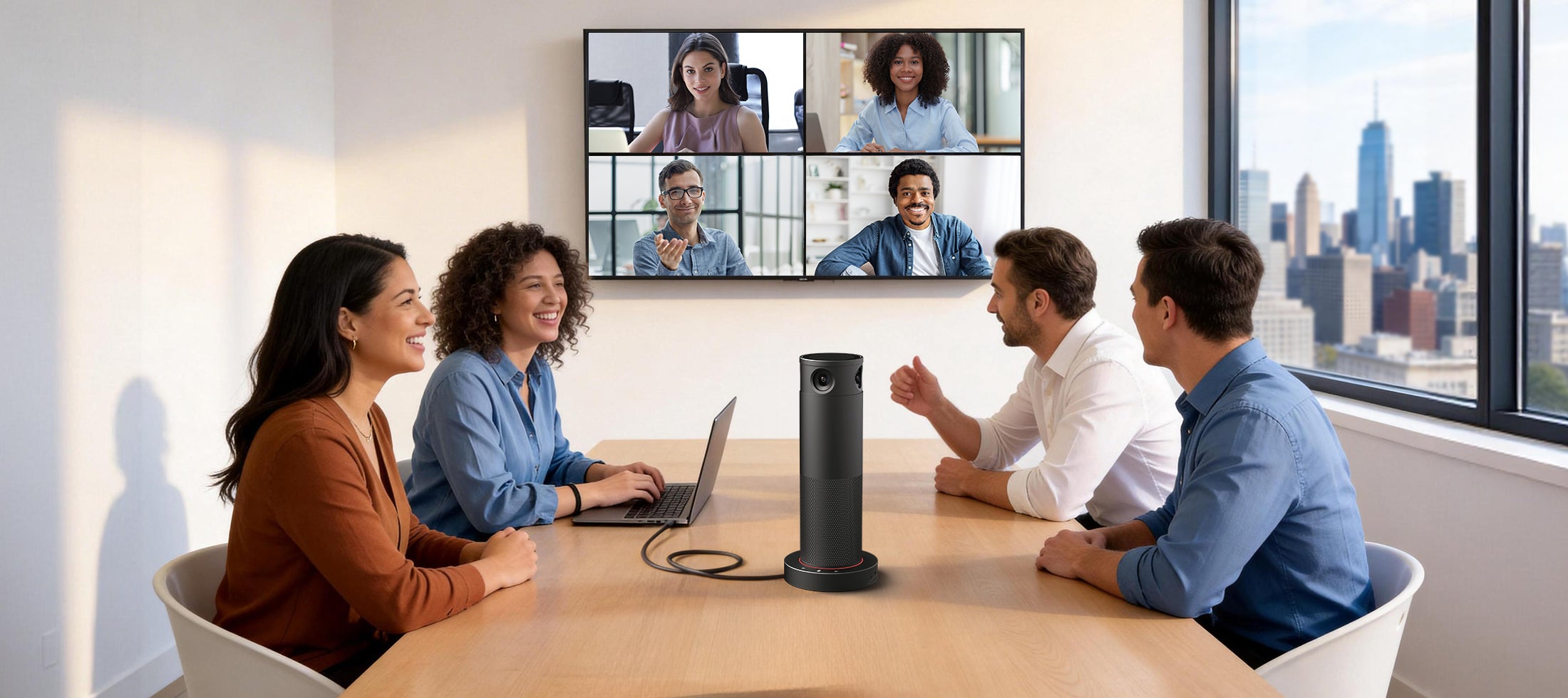
Les solutions modernes, comme Rocware’à venir de caméra de conférence IA RC360 lancement prévu fin avril—sont conçues pour combler cet écart. Conçu pour les petites réunions petites salles et espaces hybrides espaces les RC360 contribue à créer une expérience plus inclusive pour à distance participants.
Le RC360 a été conçu spécifiquement pour résoudre le problème d’inclusion dans les réunions hybrides :
-
couverture de la salle à 360° signifie que les participants à distance peuvent voir toutes les personnes présentes dans la salle, et pas seulement celle assise le plus près de la caméra.
-
suivi des intervenants alimenté par l’IA suit naturellement la conversation, afin que les participants à distance ne manquent jamais qui parler.
-
vidéo ultra-HD 4K garantit que les expressions faciales subtiles et les signaux non verbaux sont clairement perceptibles, réduisant ainsi les malentendus.
-
Plug-et-USB plug-and-play connectivité permet aux utilisateurs de démarrer instantanément des réunions avec leur leur ordinateur portable
TLes équipes peuvent créer une expérience de communication plus naturelle et inclusive pour les participants à distance.
6. Créer des liens au-delà des conversations professionnelles
L’un des principaux risques du travail à distance est de perdre le lien humain qui existe naturellement au bureau.
Pour maintenir équipe forte relations :
-
Splanifier des points de contact informels
-
Eencourager les conversations informelles
-
Ccréer des moments virtuels de cohésion d’équipe
Des relations solides favorisent une meilleure communication, collaboration et confiance.
Le rôle de la vidéo dans la communication à distance
La communication vidéo est devenue le fondement du travail à distance, et pour cause.
Cela permet aux équipes de :
-
Ccommuniquer plus clairement
-
Bcréer des relations plus solides
-
Ccollaborer en temps réel
-
Rréduire les malentendus
Mais toutes les configurations vidéo ne se valent pas égales.
Une mauvaise qualité vidéo, des angles de caméra limités et un manque de visibilité peuvent créer des difficultés au lieu d’améliorer la communication.
C’est pourquoi pourquoi les organisations investissent dans solutions vidéo alimentées par l’IA qui rendent la collaboration à distance plus naturelle et plus engageante.
À quoi ressemble une communication efficace à distance
Les équipes qui communiquent bien à distance partagent généralement quelques caractéristiques clés :
-
Cattentes claires et normes de communication
-
Cutilisation cohérente de la vidéo pour les conversations importantes
-
Jeenvironnements de réunions hybrides inclusifs
-
Séquipe forte culture et confiance
Lorsque ces éléments sont réunis, les équipes à distance peuvent fonctionner avec le même niveau d’alignement et de productivité que les équipes travaillant au bureau.
Réflexions finales
Une communication efficace ne consiste plus à être dans la même pièce : il s’agit de créer une expérience où chacun, où qu’il soit, peut participer pleinement.
Prêt à améliorer votre expérience de réunion hybride ?
Contactez Rocware pour une démonstration en direct.

Partager:
Avis de changement RM702
Éliminer les frictions liées aux salles de réunion : guide pratique pour les équipes informatiques